
Running a small business is tough—especially when foot traffic is low, and your online presence feels invisible. I’ve seen countless local businesses, from bakeries to plumbing services, struggle to get noticed by customers just a few blocks away. The good news? Local SEO can change that. In 2025, 46% of Google searches have local intent, meaning people are actively looking for businesses like yours nearby. Whether it’s a quick search for “coffee shop near me” or “best plumber in [city],” local SEO ensures your business pops up first.
This step-by-step guide will walk you through eight practical strategies to optimize your online presence, attract local customers, and boost your bottom line. From setting up your Google Business Profile to creating hyperlocal content, you’ll learn how to stand out without a big-agency budget. Ready to dominate local search? Let’s get started with tools like DM Digital’s Eureka Media Makeover to simplify the process and drive results.
Step 1: Optimize Your Google Business Profile
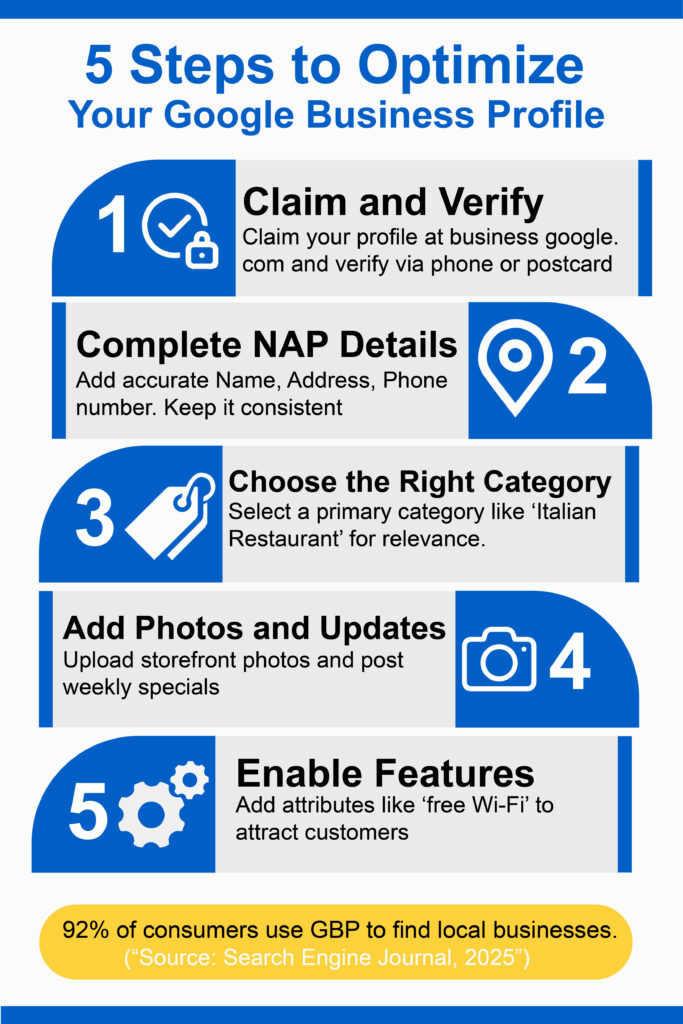
Your Google Business Profile (GBP) is your digital storefront. It’s the first thing customers see when searching for businesses like yours, and it’s critical for ranking in Google’s “Local Pack”—those top three results with a map. In fact, 92% of consumers use GBP to find local businesses. Here’s how to make yours shine.
Actionable Steps:
- Claim and Verify: Go to business.google.com, claim your profile, and verify ownership via phone, email, or postcard. This ensures you control your listing.
- Complete NAP Details: Add your business’s Name, Address, and Phone number (NAP) accurately. Consistency across platforms is key—mismatched details confuse Google.
- Choose the Right Category: Select a primary category (e.g., “Italian Restaurant”) that matches your services. Add secondary categories if relevant.
- Add Photos and Updates: Upload high-quality images of your storefront, products, or team. Post weekly updates about promotions or events to keep your profile active.
- Enable Features: Add attributes like “wheelchair accessible” or “free Wi-Fi” to attract specific customers.
Why It Works: A fully optimized GBP signals to Google that your business is legitimate and relevant, boosting your chances of appearing in local searches. For example, a local café I worked with doubled its walk-ins after adding vibrant photos and weekly specials to its GBP.
Pro Tip: Use tools like DM Digital’s Eureka Media Makeover to automate GBP updates, saving you hours while keeping your profile fresh
Step 2: Build a Mobile-Friendly Website
With 60% of local searches happening on smartphones, a mobile-friendly website isn’t optional—it’s essential. A slow, clunky site drives customers away, while a fast, responsive one keeps them engaged and helps you rank higher.
Actionable Steps:
- Use Responsive Design: Ensure your website adapts to all devices—phones, tablets, and desktops. Platforms like WordPress or Squarespace offer mobile-friendly templates.
- Optimize Page Speed: Use Google’s PageSpeed Insights to check load times. Compress images, minimize code, and choose a reliable host to keep page load time under 3 seconds.
- Incorporate Local Keywords: Add phrases like “bakery in [city]” or “dentist near me” to your homepage, service pages, and meta tags.
- Include a Contact Page: Display your NAP details and embed a Google Map for easy navigation.
Why It Works: Google prioritizes mobile-friendly sites in rankings, and customers expect seamless browsing. A local bakery I helped saw a 30% increase in traffic after optimizing its site for mobile and adding “fresh pastries in [city]” to its homepage.
Pro Tip: Test your site on multiple devices and use analytics to track mobile traffic. Tools like Eureka Media Makeover can suggest local keywords to boost visibility.
Step 3: Leverage Customer Reviews
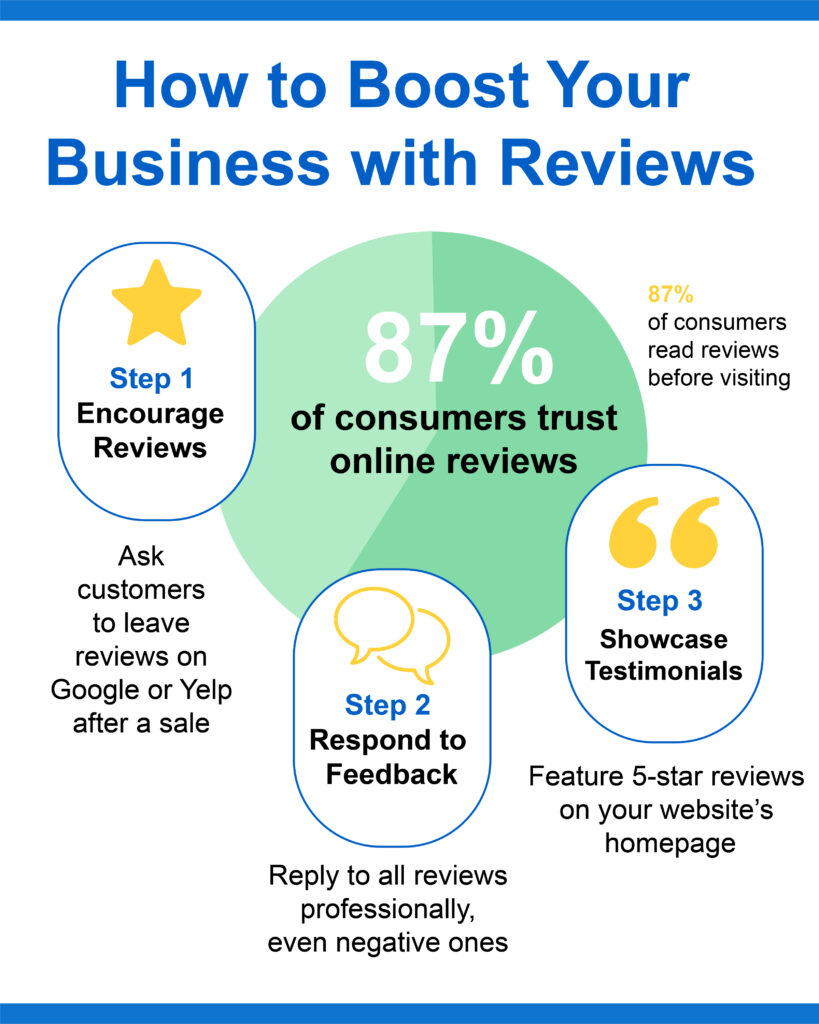
Reviews are your business’s online reputation. A staggering 87% of consumers read reviews before visiting a local business, and 4+ star ratings can significantly improve your rankings. Here’s how to harness their power.
Actionable Steps:
- Encourage Reviews: After a sale or service, politely ask customers to leave a review on your GBP or platforms like Yelp. Send follow-up emails with direct links.
- Respond to Feedback: Reply to every review—positive or negative—professionally. Thank happy customers and address concerns calmly to show you care.
- Showcase Testimonials: Feature 5-star reviews on your website’s homepage or a dedicated testimonials page.
- Use Automation Tools: Platforms like Eureka Media Makeover can automate review requests, saving time while maintaining high ratings.
Why It Works: Reviews build trust and signal to Google that your business is active and credible. A local plumber I advised saw a 25% increase in calls after consistently responding to reviews.
Pro Tip: Aim for at least 10 reviews with 4+ stars to stand out. Never buy fake reviews—Google’s algorithms can detect and penalize them.
Step 4: Create Local Content
Location-specific content connects you with nearby customers and drives engagement. In fact, local content generates three times as many clicks as generic posts. Think of it as telling your community’s story through your brand.
Actionable Steps:
- Write Local Blog Posts: Create content about community events, local news, or industry tips tied to your area. For example, a plumber could write “Top 5 Plumbing Issues in [City].”
- Optimize Service Pages: Build dedicated pages for each service, targeting local keywords such as “emergency HVAC repair in [neighborhood].”
- Add Location Pages: If you serve multiple areas, create separate pages for each city or neighborhood with unique content.
- Use Visuals: Include photos or videos of your business engaging with the local community, like sponsoring a charity event.
Why It Works: Local content signals relevance to Google and resonates with customers searching for nearby services. A café I worked with gained 40% more website visits after blogging about local festivals.
Pro Tip: Use AI tools like Eureka Media Makeover to generate location-specific content quickly, ensuring consistency and SEO optimization.
Step 5: Optimize for Voice Search
Voice search is booming—27% of local searches in 2025 come from voice assistants like Siri and Alexa. Optimizing for conversational queries ensures you capture this growing audience.
Actionable Steps:
- Use Long-Tail Keywords: Target phrases like “best pizza near me” or “where can I find a mechanic in [city]?” Add these to your website and GBP.
- Add FAQs: Create a FAQ section on your site with questions like “What are your hours?” or “Do you offer delivery in [neighborhood]?”
- Optimize for Natural Language: Write content in a conversational tone that mimics how people speak to voice assistants.
- Ensure Mobile Readiness: Voice searches often occur on mobile devices, so double-check your site’s mobile optimization.
Why It Works: Voice search users expect instant, relevant results. A local pizzeria I helped ranked higher for “pizza near me” after adding conversational FAQs, boosting orders by 20%.
Pro Tip: Test your keywords with voice searches on your phone to see how your business appears in search results.
Step 6: Build Local Backlinks
Backlinks from local sources—like directories or community blogs—can boost your local rankings by 20-30%. They tell Google your business is trusted in your area.
Actionable Steps:
- Submit to Local Directories: List your business on sites like Yelp, Yellow Pages, and local chamber of commerce websites. Ensure NAP consistency.
- Partner with Local Organizations: Sponsor a community event or join a local business association for backlinks from their websites.
- Guest Post Locally: Write articles for local blogs or newspapers, linking back to your site. For example, a florist could write about “Wedding Flowers in [City].”
- Monitor Backlinks: Use tools like Ahrefs to track your backlinks and ensure they’re from reputable sources.
Why It Works: Local backlinks signal authority to Google. A café I advised gained traction after partnering with a local charity for a backlink.
Pro Tip: Focus on quality over quantity—10 strong local links outweigh 50 low-quality ones.
Step 7: Use Geo-Targeted Ads and Hyperlocal Strategies
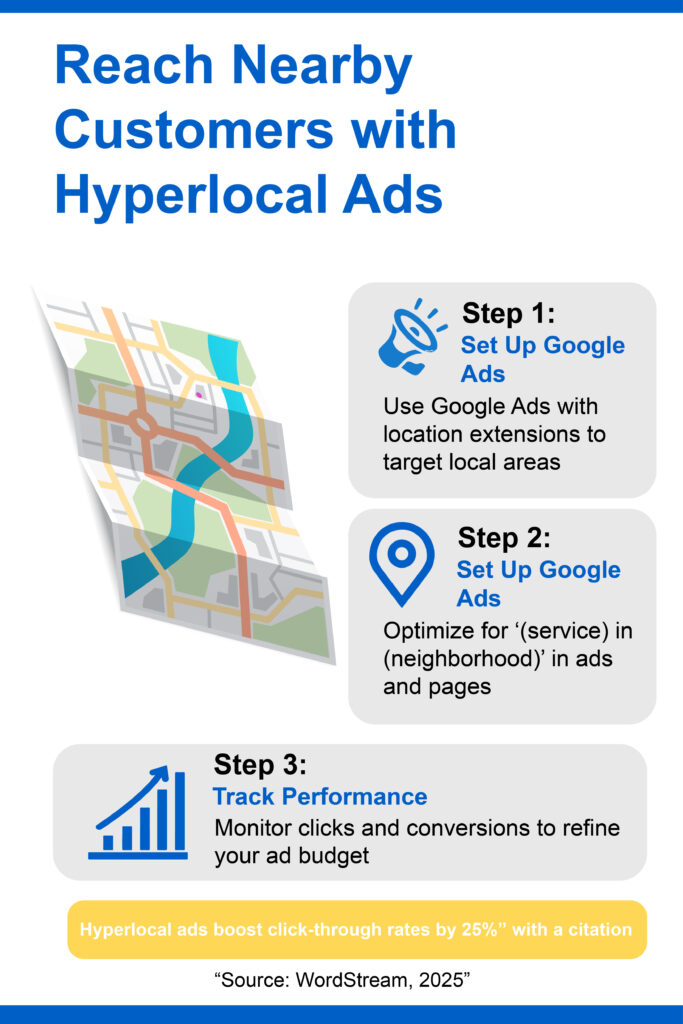
Hyperlocal targeting—focusing on specific neighborhoods or zip codes—can increase click-through rates by 25%. Geo-targeted ads amplify your reach to nearby customers.
Actionable Steps:
- Set Up Google Ads: Create campaigns with location extensions to target specific areas. Use keywords like “[service] in [neighborhood].”
- Use Hyperlocal Keywords: Optimize ads and landing pages for granular areas, like “boutique in [neighborhood].”
- Leverage Social Media Ads: Run geo-targeted ads on platforms like Facebook or Instagram to reach local audiences.
- Track Performance: Use Google Ads analytics to monitor clicks and conversions, and refine your budget to high-performing areas.
Why It Works: Hyperlocal ads connect with customers who are ready to buy. A boutique I worked with saw a 15% sales bump after targeting ads to nearby zip codes.
Pro Tip: Start with a small ad budget ($50-$100/month) and scale up as you see results.
Step 8: Track and Measure Results
You can’t improve what you don’t measure. Tracking your local SEO efforts helps you refine strategies and maximize ROI. Tools like Google Analytics and GBP Insights make this easy.
Actionable Steps:
- Use Google Analytics: Monitor website traffic, bounce rates, and conversions from local searches. Look for spikes in “near me” queries.
- Check GBP Insights: Review metrics like profile views, clicks, and calls to see how customers find you.
- Track Rankings: Use tools like Semrush or Moz to monitor your rankings for local keywords.
- Adjust Strategies: If a keyword isn’t performing, tweak your content or ads. For example, switch from “plumber [city]” to “emergency plumber [city].”
- Leverage AI Tools: Platforms like Eureka Media Makeover provide real-time analytics and suggest optimizations.
Why It Works: Data-driven decisions lead to better results. A local gym I advised doubled its sign-ups by focusing on high-performing keywords after analyzing GBP Insights.
Pro Tip: Set monthly goals (e.g., 10% more website visits) and review analytics regularly to stay on track.
Conclusion: Take Control of Your Local SEO
Local SEO doesn’t have to be overwhelming. By optimizing your Google Business Profile, building a mobile-friendly website, leveraging reviews, creating local content, and more, you can attract nearby customers and grow your business. These eight steps are designed to be affordable and scalable, even for small businesses with limited resources. Tools like DM Digital’s Eureka Media Makeover make it easier by automating tasks such as content creation and GBP updates, saving you time.Ready to get started? Take the first step today by claiming your Google Business Profile or scheduling a free consultation with DM Digital at dmdigi.io/. Your small business can dominate local search and thrive in 2025—let’s make it happen!